Add links
instagram.com/reel/DB4kq…
Process- ReelMorning routine, 3 drops Saved
- AdGlow serum launch Saving
- PostBefore and after From phone Saved
Hookbase saves Instagram Reels, posts and Meta ads on your Mac with their transcripts, on-screen text and storyboards, so Claude Code, Codex or any agent can search and use them.
For macOS 13 or later
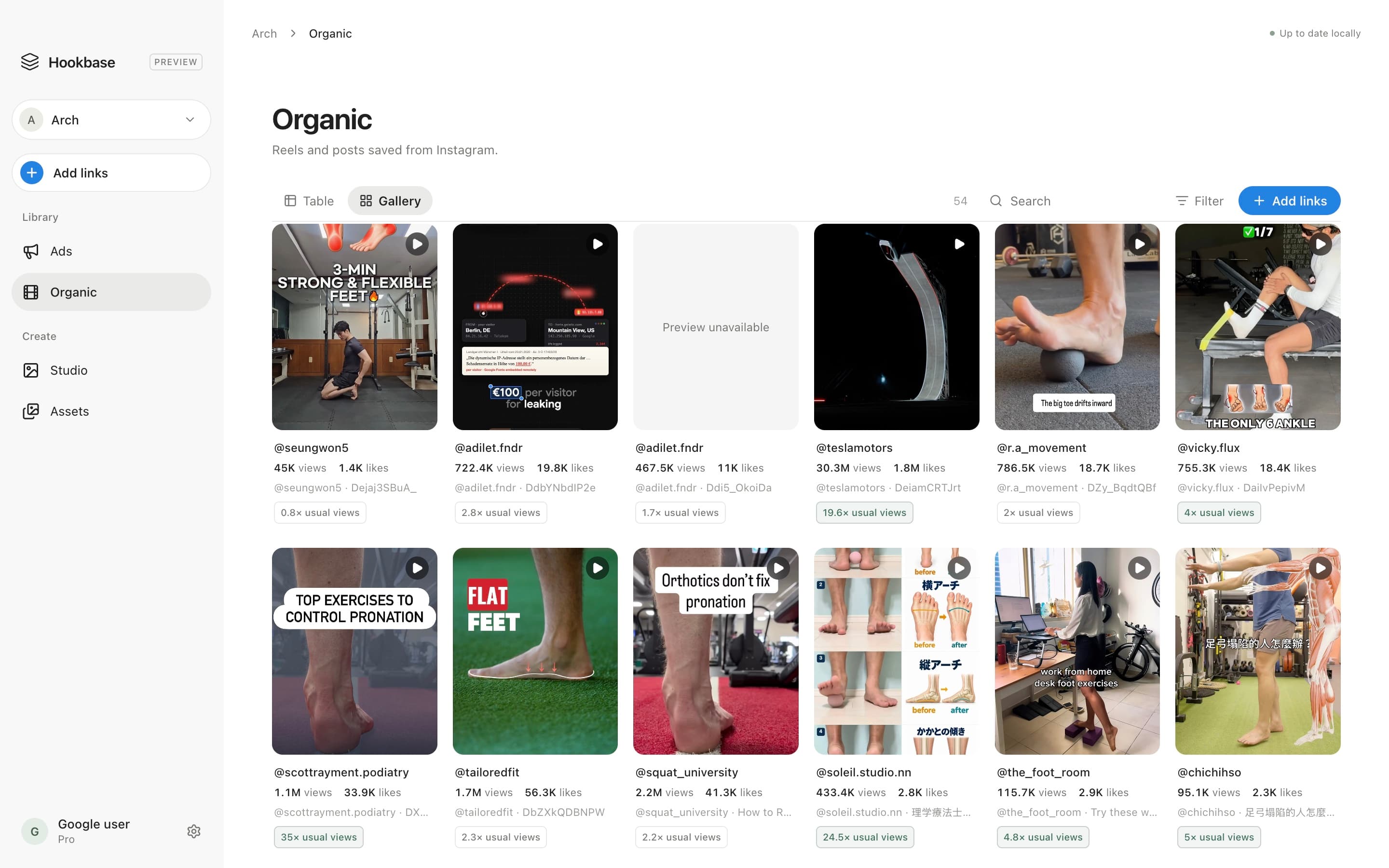
How it works
Paste links, drop them on the window or share them from your iPhone. One link or a whole batch.
It downloads the video, transcribes the speech, reads the text on screen, draws a storyboard of every scene and pulls out the opening hook.
Your agent reads the library through the hookbase command, finds what’s working and writes new scripts. Its finished creative goes to Studio.
Save from your phone
Share a Reel or an ad to Hookbase from your iPhone. Our server saves it in the background, so there’s nothing to wait for, and it’s in your library the next time your Mac is open.
Set it up once with the Shortcuts app, from Settings → API keys.
For agents
One click in Settings sets up the hookbase command and the Hookbase skill for Claude Code and Codex. Your agent searches what you’ve saved, reads transcripts and storyboard frames, saves new links and puts what it makes in Studio.
› Which competitor ads have run the longest, and how do they open?

● Using the hookbase skill
$ hookbase ads --limit 3
  r17  active  94d  Glow Labs     video  “Still tight by noon?”
  r21  active  71d  Northwind     video  “I tried every serum…”
  r09  active  58d  Daybreak Co.  image  “3 drops. Every morning.”
$ hookbase show r17 r21 r09

All three open on the product in use, with a question on screen in the first second. Want five hooks in that style?
4
formats: Reels, posts, carousels and Meta ads
100%
of your library on your own Mac
2,000
posts a month on Pro
$19/month
Billed monthly
Download to startAbout 400posts a month
For one brand's research and creative.
Included
$49/month
Billed monthly
Download to startAbout 2,000posts a month, 5× Starter
Five times the usage, for daily research across brands.
Included
Every feature on every plan. Compare plans
Instagram Reels, posts and carousels, and ads from the Meta Ad Library. For each one it keeps the media, the caption, a transcript, the text on screen, a storyboard, the opening hook and the numbers: the creator’s likes and comments, or how long an ad has been running.
On your Mac. Videos, storyboards and everything you save stay in your library on disk. Our server looks up public post details and transcripts, and keeps your account and billing. Privacy policy
Any agent that can run commands on your Mac. Settings → Agents sets up the hookbase command and links the Hookbase skill into Claude Code and Codex. Reading your library needs no key; to let an agent save new links, give it an API key from Settings.
No. Your plan covers every lookup Hookbase makes. You only create a Hookbase API key when an agent or your iPhone saves links for you.
Not yet. Hookbase is a Mac app for macOS 13 or later.
Yes, from Settings → Plan & usage → Manage billing. Your plan runs to the end of the period you paid for, and your library stays on your Mac.